Dorm room poster maker

Print a dorm wall poster on ordinary Letter paper.

Use a band poster, art print, map, or school pennant. Preview the grid, then download one tiled PDF for the printer already on campus.

Start with your file

Free to use. Your finished PDF is yours to print and keep.

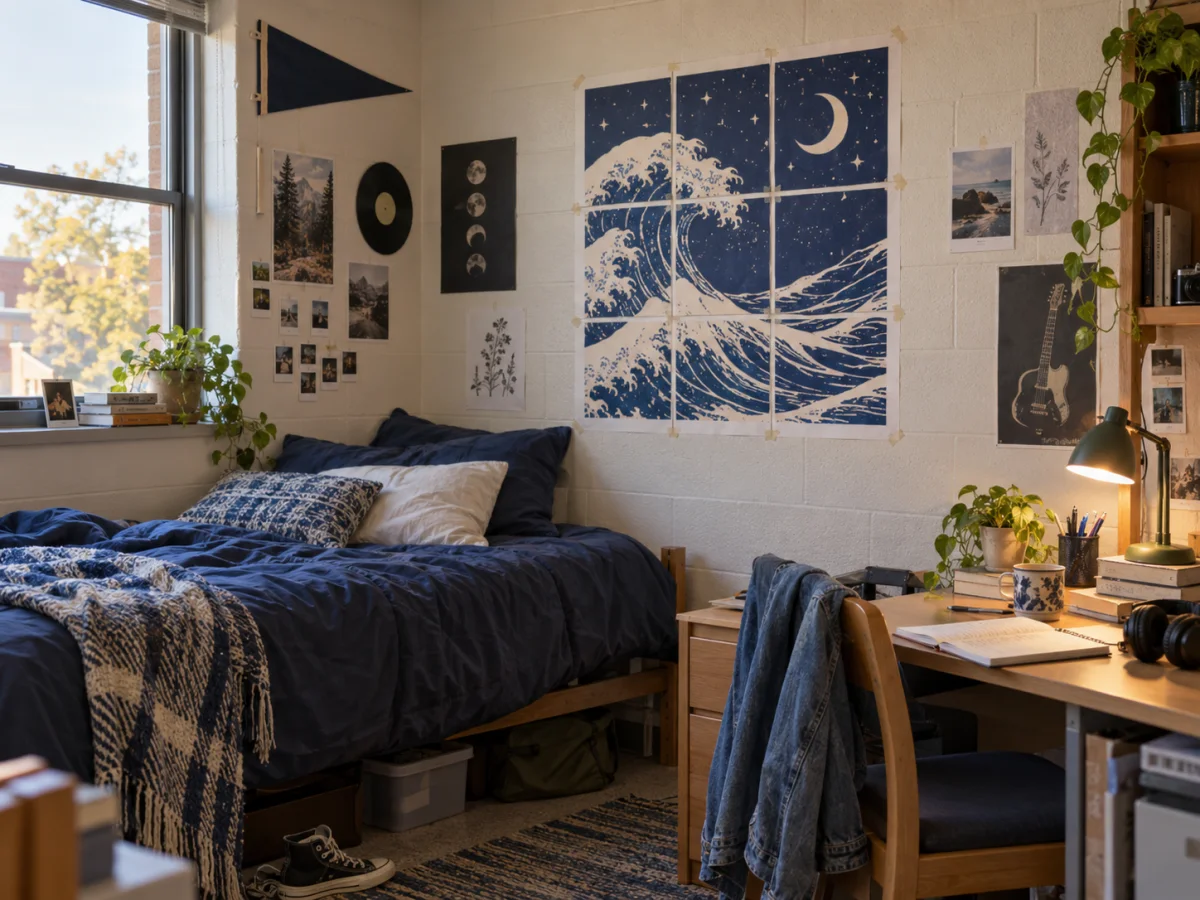
A college dorm wall decorated with a Great Wave print, band posters, and a school pennant
A dorm wall poster made with standard US Letter paper.
1

Choose your artwork

JPG, PNG, or WebP

2

Set the poster size

Use pages or a real finished size

3

Choose the crop

Fit keeps everything. Fill trims edges.

4

Choose the finish

Keep the image original or turn it into printed dots.

Printer setup

PageToPoster does not store your file

Print preview

Drop your artwork here

See every page before you print.

Up to 20 MB
Clear print setup

Big wall art for a small room.

Dorm rooms usually need prints that look good from across the room and still fit the paper available in a campus printer. PageToPoster shows the sheet count and page grid before you commit to a full run.

A clean poster, album cover, map, or graphic print works well. If the artwork is busy, start with a larger source file so the labels stay readable once it is on the wall.

For shared housing, use removable mounting strips and keep the overlap modest so the poster comes down cleanly at move-out.

Quick setup

Make a dorm wall poster in three steps.

  1. Start with art that works at wall size

    Choose a sharp band poster, album cover, map, school pennant, or graphic with a clear subject.

  2. Set a Letter-paper grid

    Use the US Letter preset and pick a page grid that suits the available campus or home printer.

  3. Print, join, and hang it

    Print at Actual size, tape the labeled sheets together, then use removable strips for the dorm wall.

Before you print

Settings that matter for this job.

  1. Start with a poster-friendly image.

    Band posters, Great Wave prints, campus maps, school pennants, and simple graphics usually hold up best at wall size.

  2. Print at Actual size or 100%.

    Turn off Fit or Shrink so the printed poster matches the size you set in the editor.

  3. Use removable wall strips.

    They are a better fit for painted dorm walls than permanent tape.

FAQ

Questions about this print job.

What should I print for a dorm wall?

Band posters, album art, Great Wave prints, school flags, maps, sports graphics, and simple wall art all work well if the source image is sharp enough.

Is this different from the regular Letter poster printer?

The engine is the same. This page is tuned for dorm-room search intent, campus printers, and removable wall mounting.

Will the poster stay the right size?

Yes, if you print at Actual size or 100% and keep the printer from fitting the page to a smaller area.

Print it right the first time.

Does PageToPoster store my image?

PageToPoster does not store your image.

Which print setting should I use?

Choose Actual size or 100% in the print dialog. Turn off Fit, Shrink, and Scale to page so every sheet keeps its intended dimensions.

Why do the pages overlap?

A small repeated edge makes alignment easier. Trim the marked edge of one sheet, place it over the matching image on the next sheet, then tape from behind.

Will this work with a home printer?

Yes. The default safe margin works with common inkjet and laser printers. Use the free printer scaling test if exact physical size matters.

What image quality do I need?

The live preview estimates effective image DPI. Above 150 DPI is crisp at close range. Lower values can still work for wall posters viewed from a few feet away.